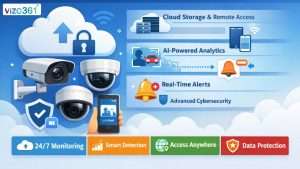

In an age where safety and convenience go hand in hand, a security camera with monitor has become one of the most sought-after Business security solutions. Whether you’re a business owner, or someone living in an apartment, these systems give you the peace of mind you deserve — knowing you can see everything happening in real time on your dedicated monitor.
From wireless security cameras with monitor screens to advanced security cameras with monitor integration, the market is packed with options. But which ones are worth your investment? And why do modern need camera-monitor combos?
The blog goes over everything you need to know, from the main features and advantages to the setup and the best types to buy. It also gives you suggestions on how to get the most out of your system.
What does a security camera monitor do?
A wireless security camera with a monitor screen is a complete surveillance system that includes a camera (or cameras) and a separate screen to watch it on. This screen is commonly a small LCD or tablet-style screen.
You may see live footage immediately away because these systems are plug-and-play. This is not like normal CCTV setups that need a DVR and a screen outside.
Most of the time, the security cameras in modern installations are wireless and have screens. This means they connect using Wi-Fi, so there are no untidy cords or hard-to-follow instructions.
Why choose a camera with a screen over a normal security camera?
You might be wondering, “Why not just use my phone as a screen?” Mobile apps are helpful, but a security camera with a monitor screen provides a number of advantages:
You can see feeds from more than one camera on one screen using a multi-camera display. This is great for or properties that are bigger. Easy for Older People to Use because Older family members who aren’t proficient with apps may still keep a watch on the house with a simple, physical screen. Also it helps with instant access, privacy control, multi camera display and real time monitoring.
Types of Security Cameras with Monitor Screens
Wireless security cameras with monitor screens that connect over either Wi-Fi or their own RF signals are the most popular ones. Their installation is straightforward as they do not require drilling or cabling, which makes them suitable for apartments, and rental areas. All these features including night vision, motion detection, two-way audio, and remote viewing are very common in such cameras. A wired security camera with a monitor is another option. This is a more conventional setup that usually has a DVR or an NVR system connected by wires. These are suitable for large houses or offices since they offer a steady signal, a steady power supply, and better video quality.
Top Benefits of Security Camera with Monitor
1. Crime Deterrence
Visible wireless cameras with monitor screens act as strong checkers against thieves and trespassers.
2. Real-Time Alerts
Many systems send instant notifications to your monitor or smartphone if motion or sound is detected.
3. Easy Installation
Wireless security cameras with monitor setups are mostly plug-and-play — perfect for DIY enthusiasts.
4. 24/7 Local Recording:
Continuous Recording with good storage availability.
Key Features to Look For
- Full-HD Resolution (1080p or higher)
- Night Vision Capability
- Wide Viewing Angle
- Weatherproof Design
- Expandable System
- Battery Backup / Power Options
Wireless Security Cameras with Monitor vs. Regular CCTV
- Feature Traditional CCTV Installation with a Wireless Camera and Monitor No wiring needed; just plug it in. Needs to be set up by a pro.
- Storing Videos SD card or cloud DVR/NVR hard drive in your area
- Access Monitor + App Monitor + DVR screen
- Being able to move Simple to move System Maintenance Cost: Low to Moderate to High Good for the budget More expensive to set up at first.
Installation Tips for Best Results
Even the best security cameras with monitor can underperform if not set up properly. Follow these pro tips:
- Position Strategically:
Place the cameras at every entry point. - Avoid Direct Sunlight:
Harsh glare can affect visibility; shade your camera if possible. - Ensure Strong Wi-Fi (for wireless systems):
Weak signals can cause lag or disconnections. - Secure the Monitor Location:
Place it where it’s easy to view but not accessible to intruders.
VIZO361 by Proeffico: The Ultimate Real-Time Security Camera with Monitor for Businesses
The VIZO361° wireless security camera with monitor screen by Proeffico is one of the most advanced and trustworthy solutions on the market today. It is a strong all-in-one surveillance solution that lets you keep an eye on things in real time and gives you entire peace of mind. The VIZO361° has a Full-HD resolution that makes every important detail stand out. You may talk to delivery people, customers, or even scare off intruders right away with the two-way audio capability on the monitor or app.
The VIZO361° features a wide 160° viewing angle, which significantly reduces the number of blind spots and provides complete coverage of your property–inside and outside. Thanks to the IP67 construction of the system, it is weatherproof and built to withstand rain, dust or any other adverse conditions. This makes it ideal for driveways, parking lots, or storefronts. The real-time alarm system is what makes this camera truly unique – it will alert you there is movement or a person is behaving suspiciously, which can prevent theft or access before things worsen. It can be used to protect your businesses, retail, warehouses, healthcare services, etc., keep an eye on your business, or keep an eye on valuable inventory. It is one of the most complete and reliable security cameras with monitor systems available today.
Conclusion
In summary, this guide has addressed some of the best options for 2025, the key features to consider, and other options for a specific circumstance. These recommendations will quickly allow you to learn about the right camera system to use.