Footfall Analyst Agent
Counts every visitor at every zone, builds live heatmaps and dwell-time maps, and pages your staff when a queue starts to build — on the cameras you already own.
“Footfall is a number someone guesses into a register at closing.”Every visitor counted in real time — no clicker, no guesswork.
Everyone learns to live with the gap between “something happened” and “someone noticed.” We did not. Let the cameras do the watching and your people do the deciding — alerted the instant it matters, not hours later. From “that is just how it works” to “wait — it could work like this.”
You make pricing, staffing and merchandising decisions every day without a reliable count of who walked in.
Most retailers, banks, malls and showrooms decide on revenue alone because they have no reliable count of footfall. Without footfall, you cannot compute conversion. Without conversion, you cannot tell whether revenue dipped because traffic dropped or because the team is losing sales. You are flying blind on the single most important leading indicator your business has.
The standard fixes — beam counters, RFID tags, Wi-Fi sniffing — count once at the door and stop there. They cannot tell you which zones drew dwell, which categories shoppers ignored, where the queue formed at lunch hour, or whether the customer who walked past the premium aisle actually stopped at the discount end. They also count staff, deliveries and security guards, inflating numbers.
And the data lives in a silo. Lunch-hour queue building at till 2? Nobody opens till 4. Premium zone empty for 40 minutes? Nobody pushes the in-store promo. The data exists for tomorrow's morning meeting — too late to be useful today.
Live counts. Live heatmaps. Live actions on the floor.
Footfall Analyst Agent counts every person crossing every zone you define on your camera footprint — entry doors, aisle ends, checkout queues, lounges, kitchens, corridors. It distinguishes staff from visitors using lightweight face-vector matching (no biometric template stored, only a one-way hash) and ignores the same uniform passing repeatedly.
Beyond counts, the agent builds zone heatmaps and dwell-time maps that update live. You can see which categories captured attention this hour vs. last week. You can spot the dead zone you have been over-stocking. You can prove which window-display variant pulled more people in on a Saturday.
The agent acts on what it sees. Queue at till 2 crosses a threshold? PA auto-pages an additional staff member. Premium aisle empty for 30 minutes? Promo screen rotates. Lunch-rush starting? Manager gets a WhatsApp before the queue forms.
Known limitations (from the VIZO361 datasheet): accuracy is affected by crowd density, occlusions, and poor lighting. Site-specific count accuracy is benchmarked during the pilot phase per site, not published as a universal number.
How Footfall Analyst Agent works — end-to-end
From the moment a frame leaves your camera to the moment your hardware reacts. No black box — every step explained.
Define zones
Draw polygons on each camera feed — entry, aisles, checkout, lounge, restricted areas. Tag each with a name and role.
Detect + track
Vision model detects each person, assigns a track ID, and follows them across the camera. Multi-camera re-identification is optional.
Classify staff vs visitor
Optional face-vector matching against your staff roster (one-way hash, no biometric stored). Staff are excluded from visitor counts automatically.
Compute KPIs live
Counts, heatmap intensity, dwell time, zone-transition matrix, conversion (paired with POS) — pushed to dashboard continuously.
Trigger workflows
Per-zone threshold rules drive PA messages, staff WhatsApp, promo-screen rotation, queue-open signals. Configurable per camera, per shift.
Detection without action is just an alarm. We close the loop.
Every Footfall Analyst Agent event can trigger your existing on-site hardware. Wired or wireless. PLC, contactor, BACnet, MQTT or webhook — your choice.
PA-System Auto-Page
Integration
Audio-out or webhook to existing PA controller. Pre-recorded staff-call messages on configurable schedule.
Outcome
Queue building at till 2 → 'Cashier 4, please open till 2' plays automatically. Reduces time-to-respond.
Promo-Screen Rotation
Integration
API or HDMI-switch trigger to in-store digital-signage CMS (Samsung MagicInfo, LG SuperSign, BrightSign, custom).
Outcome
Empty zone → promo screen rotates to high-traffic creative. Busy zone → switch to a high-margin SKU.
Lighting / Zone Energy
Integration
BMS or BACnet to lighting controller per zone.
Outcome
Empty zones dim to save power. Busy zones at full brightness.
Staff WhatsApp Alerts
Integration
WhatsApp Business API, MSG91 SMS, Slack, Microsoft Teams.
Outcome
Manager alerted before predicted lunch-rush. Cashier called to till before queue forms. Cleaner alerted on food-court turnover spike.
POS Integration
Integration
REST API to POS (LS Retail, Posist, Ginesys, custom). Receives transaction stream.
Outcome
Live conversion = transactions / footfall — per zone, per hour, per cashier.
BI / Data Warehouse Push
Integration
Hourly export to S3, BigQuery, Snowflake, or direct via Kafka.
Outcome
Footfall data joins the data warehouse next to revenue, basket size and stock — unlocking the full conversion funnel.
Where Footfall Analyst Agent is deployed
Specific industries, specific scenarios, specific outcomes — not generic marketing claims.
Retail & E-commerce
Multi-store apparel, electronics, value retail
Real-time conversion per store. Per-category dwell-time vs revenue. Window-display A/B testing using next-day footfall delta. Staff scheduling driven by 30-day footfall patterns.
Malls & F&B
Mall corridors, food courts, anchor stores
Mall management gets per-zone tenant performance. F&B operators get table-turnover and queue-time KPIs per outlet.
Banking & BFSI Branches
Branch lobby, ATM area, service counters
Live queue at service counters drives PA auto-paging. Lobby vs. ATM vs. cabin flow tracks how customers move post-digitisation.
Healthcare
OPD reception, pharmacy queue, radiology waiting
OPD waiting times reported live to admin. Radiology / lab queue-build triggers staff escalation. Pharmacy footfall vs. prescriptions issued reconciled hourly.
Education Campuses
Library, canteen, examination halls
Library occupancy live (privacy-preserving, no IDs). Canteen footfall-to-tray-pickup conversion = food-planning input. Exam-hall presence reconciled with attendance.
Corporate Campuses
Reception, cafeteria, breakout zones
Reception visitor flow vs. visitor-management events. Cafeteria utilisation by time-band for catering planning. Breakout-zone usage informs space planning.
Technical specifications
The numbers we publish in proposals. Detailed accuracy targets, latency budgets, and integration scope.
| Datasheet reference | Use Case 01 — Customer Footfall Tracking |
| Deployment timeline | Approximately 1 month, per the datasheet (zone calibration time included) |
| Minimum camera resolution | 2 MP |
| Training required | Moderate — per-camera zone calibration during onboarding |
| Camera positioning | Entry / exit with appropriate height and angle, per the datasheet |
| Compatible cameras | Standard RTSP / ONVIF IP cameras, 2 MP–8 MP |
| Scale | Up to 500+ concurrent camera streams in the enterprise tier |
| Integrations | POS (LS Retail, Posist, Ginesys, Square, custom), BI / data warehouse, PA system, signage CMS |
| Privacy | No facial template stored — only one-way vector hash for staff matching. DPDP / GDPR / PDPL aligned. |
| Benchmark accuracy | Site-specific — measured and documented during the 30-day pilot |
Free conversion analytics on cameras you already paid for. Live actions on what historically arrived as next-day reports.
Direct: most retailers already pay for door-only footfall counters. Footfall Analyst delivers door count plus zone-level dwell, heatmaps, conversion and staff-aware filtering — without additional hardware.
Indirect: live queue management interventions and zone-aware promotions can move conversion. The specific lift on your site is benchmarked during the 30-day pilot — not published here as a universal claim.
Strategic: footfall data lives in the same warehouse as revenue, basket size, stock and labour. Monday's 'why was last week off plan?' question becomes a query, not a meeting.
A real-world example
Customer name withheld per NDA. Full reference available on request.
Reference customer (named under NDA)
Proeffico has deployed Footfall Analyst across reference customer sites in retail, BFSI and education. Verified outcomes are available under NDA on request. Site-specific accuracy and conversion lift are benchmarked during your 30-day pilot on your actual cameras and shared in a signed pilot report before any commercial commitment.
Pilot
Real numbers benchmarked on your site, in your signed pilot report
Footfall Analyst Agent vs the traditional way
Most facilities still run on the old playbook. Here's what changes.
The traditional way
- ✗Beam counter at door — counts staff and deliveries, inflating numbers
- ✗Per-store reports arrive next morning — too late to staff differently today
- ✗No dwell time — you know they walked in, not which aisle they actually visited
- ✗Footfall data lives in a vendor silo separate from POS, stock and staffing systems
- ✗Wi-Fi sniffing tracks individuals' phones across stores
With Footfall Analyst Agent
- Zone-level counts with staff-vector exclusion. Distinguishes the same uniform passing repeatedly.
- Live counts update continuously. PA auto-pages staff during the rush, not after.
- Heatmaps and dwell-time maps update live. Per-zone dwell vs. revenue exposes dead zones.
- Footfall pushed to the same data warehouse as POS — conversion funnels become a single query.
- No personal identifiers stored. Staff vector is a one-way hash. DPDP / GDPR / PDPL aligned by default.
Questions buyers ask before they sign
How does it tell staff apart from customers?
+
Optional face-vector matching. We never store a biometric template — only a one-way vector hash for each staff member you opt to include. When the camera sees a face whose vector matches a known staff hash, that track is excluded from visitor counts. The hash cannot be reverse-engineered to a face.
What's the accuracy at the door?
+
Per the datasheet, accuracy is affected by crowd density, occlusions and poor lighting. Specific count accuracy at your door is benchmarked during the 30-day pilot — not published here as a universal figure.
Can it count without facial recognition?
+
Yes. Door counting, zone counting, dwell-time and heatmaps work entirely on body-pose models — no face detection required. Face-vector staff exclusion is optional and turned on only with consent. Recommended for privacy-sensitive deployments (hospital wards, school zones).
How does the queue auto-page work?
+
You define a queue zone, a threshold, and an action (e.g. PA message: 'cashier 4 please open till 2'). The agent monitors the zone live; when the threshold is held for the configured time, the action fires.
Does it work with multi-storey malls?
+
Yes. We deploy per floor with handoff between floor cameras and elevator / escalator cameras using person-reid. Phased rollout recommended for very large malls.
Can I see historical heatmaps?
+
Yes. Heatmaps and dwell-time are retained at full granularity by default; long-term aggregates indefinitely. Replay any hour, day or week for promo-event review.
Will my POS / BI tools work with this?
+
Out of the box we connect to LS Retail, Posist, Ginesys and custom POS via REST. Data export to BI / data warehouse is standard.
What does it cost?
+
VIZO361 is sold on a Private Offer model — pricing depends on camera count, scenarios, and integration depth. A 30-day pilot on 2–4 cameras is included.
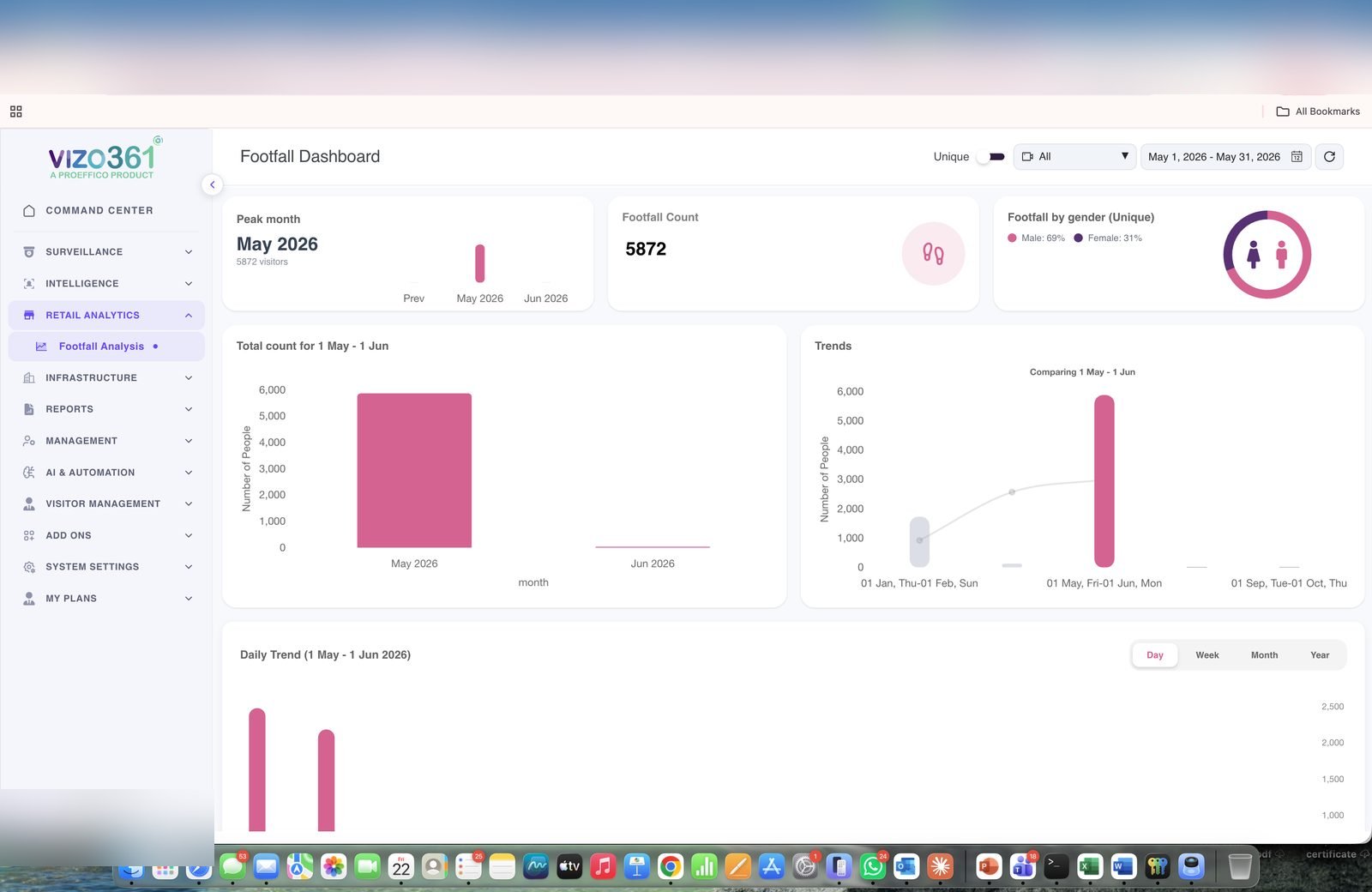
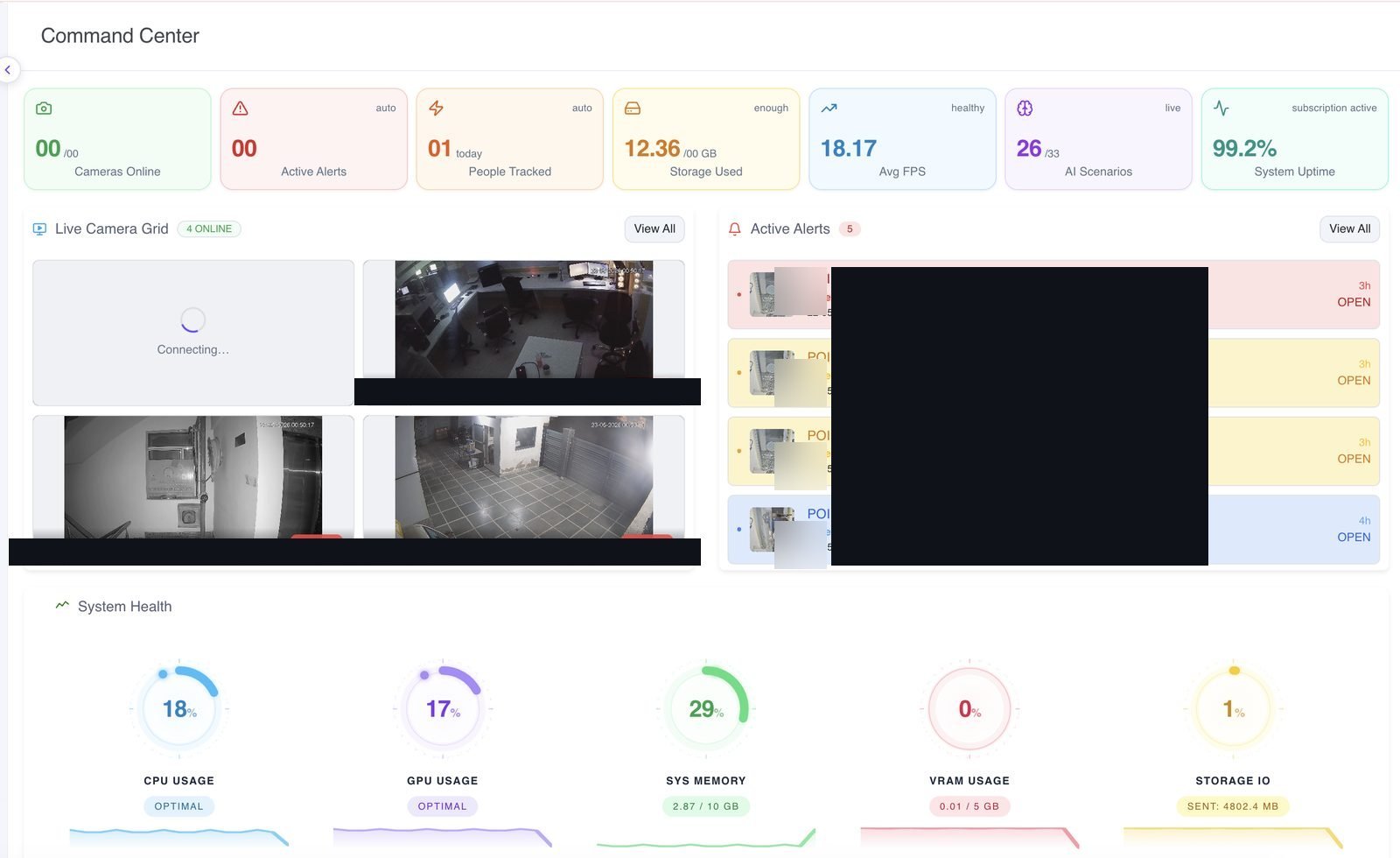
From the live VIZO361° platform — not mockups
Screenshots and alert clips captured from the deployed product. Customer identifiers have been blurred where present.
Who built this — and who reviewed it
Last reviewed: 2026-05-22Product Lead
Utkarsh Yadav
AI / ML Lead, VIZO361° (Facial Recognition + Liveness Detection)
Leads the facial-recognition, liveness-detection, and identity workflows in VIZO361. Designs the agent architectures behind Identity, Footfall Analyst, and PPE Compliance.
Product Lead
Swastik Vaish
AI Engineer, VIZO361° (Fire & Smoke, Cash Detection)
Leads the safety + loss-prevention model family in VIZO361 — including Fire Watch, Cash Counter, Guard Watcher, and Crowd Density. Owns model accuracy benchmarking during pilots.
Reviewed By
Saurabh Agarwal
Founder & CEO, Proeffico Solutions Pvt Ltd
Founded Proeffico in 2018. Reviews every product narrative for accuracy against the VIZO361 datasheet, customer reference behaviour, and Proeffico's published trust commitments.
Profile →All capability claims on this page are anchored to the VIZO361 Product Datasheet (2025). Site-specific accuracy, latency, and ROI figures are benchmarked during a 30-day pilot on your cameras and shared in a signed pilot report — not published as universal numbers.
Explore other Vision Agents
Private Offer · No published list price
See Footfall Analyst Agent on your cameras. 30-day pilot. NDA. Real conditions.
Two-camera pilot on your site. Real models. Real lighting. Real workflows. Quote within 5 working days of discovery.