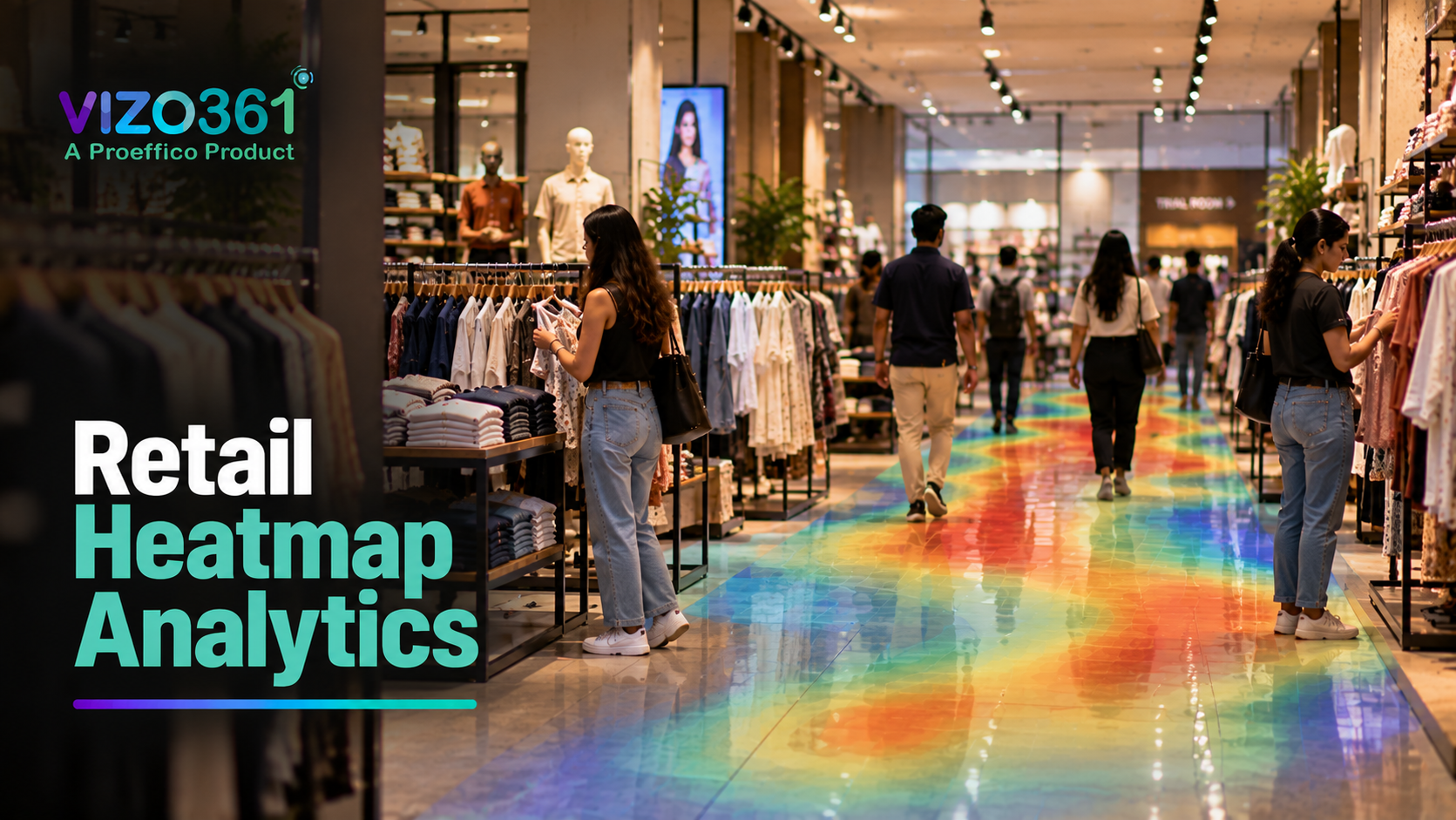
Most store managers can tell you what sold last week. Very few can tell you where customers actually walked, where they lingered, and where they turned around and left without a second glance. Retail heatmap analytics closes that gap — it turns the CCTV feed you already have into a visual map of how people move through your store, so layout and merchandising decisions stop being guesswork.
What a store heatmap shows you
A retail heatmap is a colour-coded overlay of your store's floor plan, built from the movement of every shopper the cameras detect over a chosen period. Warmer colours mark zones with heavier traffic; cooler colours mark the areas people barely enter.
On its own, that's already useful. But the value shows up when you compare it against what you'd assumed:
- The endcap you assumed was "prime real estate" might be cold because it sits in a shopper's blind spot near the entrance.
- A shelf tucked at the back might be pulling steady traffic simply because it's on the path to the trial room or billing counter.
- Two branches with an identical layout on paper can show completely different heat patterns because of how their aisles sit relative to the entrance.
None of this is visible from POS data or footfall counts alone. A heatmap is the layer that explains the *why* behind the numbers a footfall counter gives you.
Hot zones, cold zones and dwell time
Heatmap analytics on VIZO361 combines three readings that matter differently for retail decisions:
Traffic density — how many people pass through or near a zone. This is the raw heat you see on the map.
Dwell time — how long people actually stop in a zone, not just walk past it. A high-traffic aisle with low dwell time usually means it's a thoroughfare, not a browsing zone — putting your best-margin products there may not convert the way you expect.
Path patterns — the typical route shoppers take from entrance to checkout, and where they deviate from it. This shows you the zones people are physically capable of reaching but consistently skip.
Read together, these three readings tell a retailer things a sales report never will: which shelf gets seen but ignored, which corner nobody reaches at all, and which display is working because of foot traffic rather than product appeal.
Using heatmaps for layout and displays
Heatmap data is only useful if it changes something on the floor. In practice, retailers use it for:
- Placing high-margin or new-launch products in genuinely warm zones instead of zones that "feel" central but aren't, based on gut instinct.
- Rethinking cold zones — sometimes the fix is moving a fixture, sometimes it's better signage pointing shoppers there, and sometimes the honest answer is that the zone should carry clearance stock instead of anything you need to actively sell.
- Testing layout changes with evidence — run a heatmap before and after moving a display, and you can see the actual shift in traffic rather than relying on a "sales felt better" impression.
- Comparing displays and campaigns — if a promotional end cap isn't converting, a heatmap tells you whether the problem is low traffic (a placement issue) or high traffic with low dwell time (a display or pricing issue) — and those need very different fixes.
- Standardising what works across stores — once one outlet's heatmap shows a layout change is working, the same logic can be tested at other outlets instead of copying store plans blind.
This is where heatmap data starts to talk to footfall counting — footfall tells you *how many* people came in and when; the heatmap tells you *what they did* once they were inside. Retailers running both together get a much clearer read on why a busy day didn't translate into a busy till.
Measuring the impact
A heatmap is a diagnostic tool, not a scoreboard — the return on it shows up in the decisions it changes, not in a single dashboard number. A sensible way to track impact:
- Before/after comparisons on specific zones, not the whole store. Move one display, check dwell time and conversion on that zone over a comparable period, then decide if it worked.
- Correlate zone traffic with sales by category, where your POS system allows it, so a "hot zone" claim is backed by actual sell-through, not just footfall.
- Watch dwell time trends over weeks, not days — a single busy Saturday will skew any single-day read, and retail traffic is naturally noisy.
- Track staffing against real traffic patterns, not assumed peak hours — a heatmap often reveals that the "busy" window a store has staffed for years shifted after a nearby mall or transit change, and nobody noticed until the data said so.
How to start
Heatmap analytics on VIZO361 runs on the cameras a store already has — there's no need to rip out an existing CCTV setup or install specialised sensors. A few practical points for retailers evaluating it:
- Camera placement matters more than camera count. Coverage that captures the full aisle width and entrance flow gives cleaner heat data than more cameras pointed at overlapping angles.
- Start with one or two stores, not the whole chain, so the team gets used to reading heatmaps and acting on them before scaling the rollout.
- Pair it with queue and checkout analytics if billing-counter congestion is also a concern — a store can have great in-aisle heat and still lose sales at a slow till.
- Privacy first — heatmap analytics works on movement and zone data, not identity. Retailers should still be clear with staff and, where relevant, customers about what the cameras are used for, and keep retention and access policies documented.
- Set a review cadence. A heatmap that nobody looks at monthly is just a screensaver. The stores that get value from it review zone performance on a set schedule and tie it to actual layout or staffing decisions.
Frequently Asked Questions
Does retail heatmap analytics need new cameras?
No. VIZO361's heatmap analytics is built to run on existing CCTV infrastructure in most cases, provided camera placement gives reasonable coverage of the floor. A site walkthrough is the fastest way to confirm coverage for a specific store layout.
Is heatmap data linked to individual customer identity?
No. Heatmap analytics tracks movement and zone occupancy, not individual identity. It answers "how many people were in this zone and for how long," not "who was here." Retailers should still maintain clear internal policies on camera use and data retention.
How is a heatmap different from a footfall counter?
A footfall counter tells you how many people entered the store and when. A heatmap tells you where those people went once inside — which zones they visited, how long they stayed, and which areas they skipped. The two work well together: footfall for overall traffic trends, heatmap for what happens after the door.
How often should a store review its heatmap data?
Most retailers get the most value from a monthly review tied to layout or merchandising decisions, with a closer look after any major layout change or promotional campaign. Daily heat patterns are too noisy on their own to act on.
Can heatmap analytics work across multiple store locations?
Yes. Each store generates its own heatmap based on its layout and camera coverage, and retailers running multiple outlets can compare zone performance across locations to see which layout choices are actually working versus which are just assumed to be working.
Ready to see your own store's traffic patterns instead of guessing at them? Book a demo - see it on your cameras and walk through a heatmap read of your floor plan with the VIZO361 team.