On-premise VMS — the same product, on your infrastructure
For enterprises with data-residency, air-gap or latency requirements. Identical browser console, identical feature set, identical AI scenario configuration — hosted inside your own boundary.
What is an on-premise VMS?
An on-premise VMS is a video management system that runs on infrastructure the customer owns and controls, inside their own network boundary, so video and recordings never leave it. Historically that meant accepting a dated operator experience: a desktop client per workstation, fixed grids, and analytics as a separate product bolted on the side. On-premise was where you went when compliance mattered more than usability.
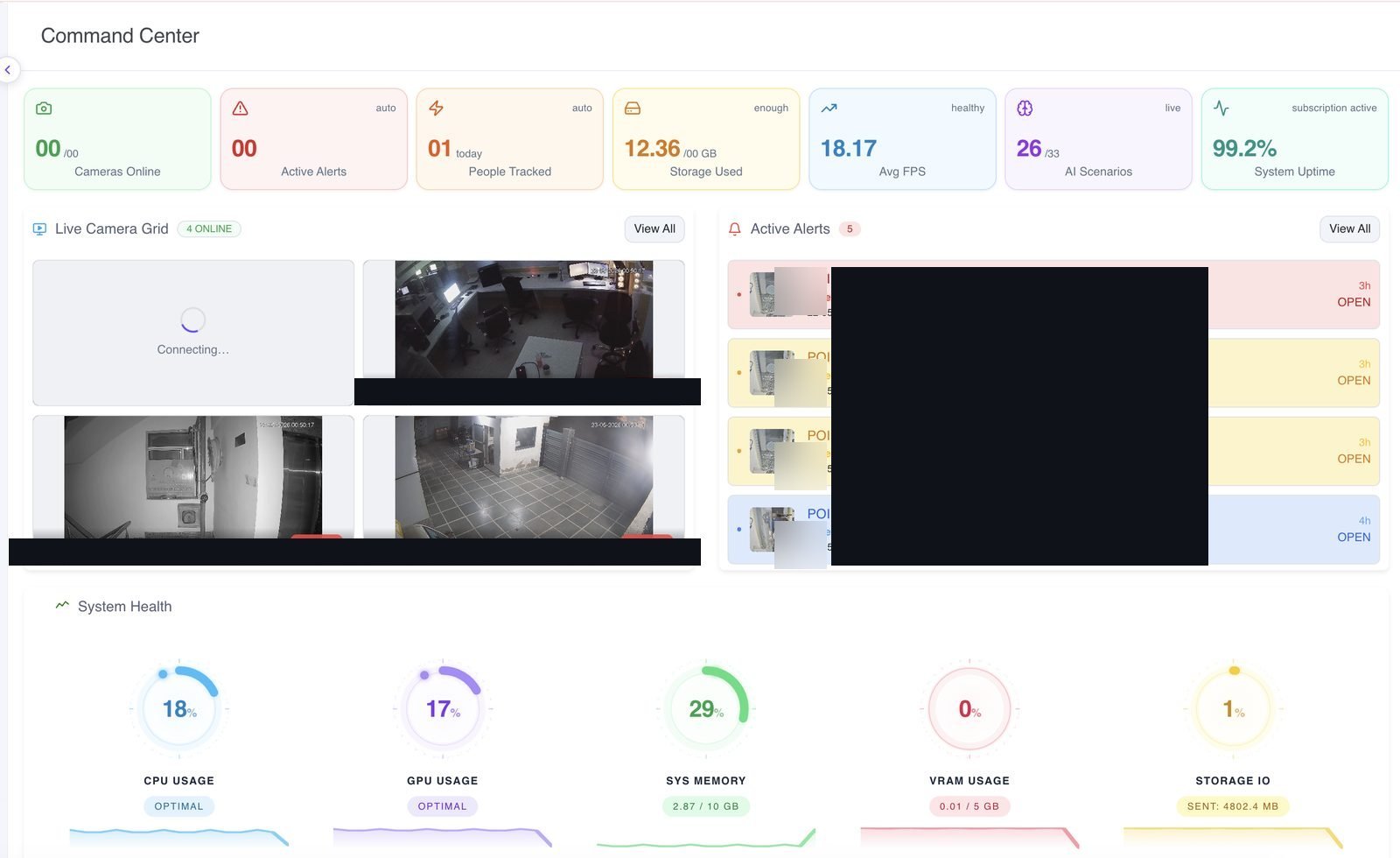
That trade-off is the thing VIZO361 removes. The on-premise deployment is not a different edition or a feature-reduced build — it is the same application. The console is still a browser application, just served from inside your network. AI scenarios are still activated and configured from inside the VMS. Alerts still land as markers on the recording timeline. The layout is still an unbounded canvas rather than a fixed grid.
The practical consequence is that the deployment model becomes an infrastructure and compliance decision rather than a product decision. If none of the constraints below apply to you, the cloud deployment is faster to stand up and less for your team to operate.
When does on-premise make sense?
Four constraints account for nearly every on-premise decision. If you recognise one of them, this is the deployment to evaluate.
Data residency
Where regulation or internal policy requires that video, recordings and derived data remain inside a specific jurisdiction or a specific facility.
Air-gapped networks
Where the site is isolated from external networks by design. The console is served from inside your own network, so operators work exactly as they would elsewhere.
Latency requirements
Where a control room needs the shortest possible path between camera and operator, and a round trip to an external network is not acceptable.
Existing infrastructure
Where recording hardware and storage are already in place and inside their useful life, and the goal is to add a modern monitoring and AI layer on top.
Nothing is missing from the self-hosted build
Same product, same UI, customer-controlled infrastructure. Everything an operator does in the cloud deployment they do here, in the same place, with the same gestures. That matters for training, for documentation, and for organisations running a mixed estate.
- Unbounded layout canvas with 2x2, 3x3 and 4x3 presets and persistent layouts
- WebRTC live streaming, HLS recorded playback, WebCodecs where supported
- AI scenario activation, ROI configuration and validation inside the VMS
- Smart alert markers on the recording timeline with severity and previews
- Synchronised multi-camera playback with a configurable channel limit
- Floor plans with directional camera markers and footfall heatmaps
- Digital zoom windows that reuse the decoded stream
- Video wall across multiple monitors
- Saved views shared with organisational roles, with grant and revoke controls
Your recorders keep their job
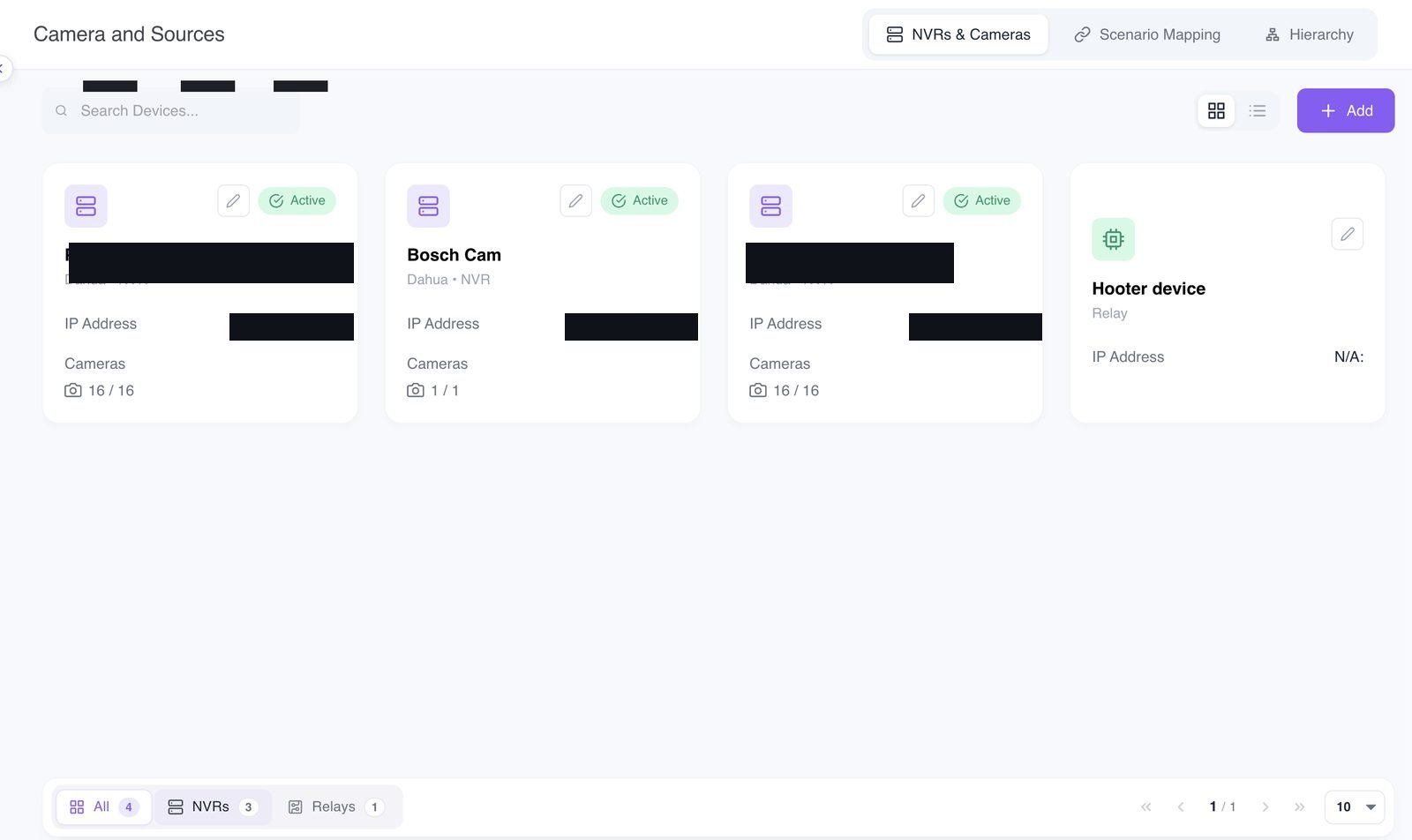
Playback can be sourced from VMS storage or from a connected camera or NVR. A global toggle switches the source for a view, and each tile carries an indicator of the source it is currently playing from. Investigators always know where the footage in front of them came from.
So an on-premise rollout does not have to start with replacing storage hardware that still has years left in it. The VMS becomes the monitoring, AI and investigation layer, and the recording estate underneath it changes on its own schedule.
Continue reading
VMS overview
The full picture: live monitoring, playback, AI and deployment.
Cloud VMS
The default deployment, and how it compares to self-hosting.
Video wall
Control-room walls across multiple monitors, driven from the console.
Deploying in India? See our VMS positioning for the Indian market, or review our compliance and certifications.
On-premise VMS FAQs
What is an on-premise VMS?
An on-premise VMS is a video management system that runs on infrastructure the customer owns and controls, inside their own network boundary, rather than on hosted infrastructure. Video, recordings and AI processing stay within that boundary. VIZO361 offers on-premise as a deployment option for the same product: the same browser console, the same feature set, the same AI scenario configuration, running on your hardware.
When should an enterprise choose on-premise over cloud?
Choose on-premise when a specific constraint requires it. The three that come up most often are data residency, where regulation or policy says video cannot leave a jurisdiction or a facility; air-gapped or isolated networks, where the site has no route to an external network by design; and latency, where a control room needs the shortest possible path between camera and console. If none of those apply, the cloud deployment is faster to stand up and less to operate.
Is the on-premise version a cut-down build?
No. It is the same product with the same interface. Live monitoring on an unbounded layout canvas, synchronised multi-camera playback, AI smart alerts on the recording timeline, floor plans with directional camera markers, digital zoom windows, the video wall and role-based view sharing are all present. Because the console is identical, operators moving between a cloud and an on-premise deployment need no retraining.
Can an on-premise VMS run on an air-gapped network?
Yes. Air-gapped operation is one of the main reasons organisations choose the on-premise deployment. Because the console is a browser application served from within your own network, operators reach it the same way they would in a connected environment, and AI scenarios are configured from inside the VMS rather than from an external service.
Do we still need our existing NVRs with an on-premise VMS?
You can keep them. Playback can be sourced either from VMS recording storage or from a connected camera or NVR, with a global toggle to switch the source for a view and a per-tile indicator showing which source is currently playing. Existing recorders can therefore stay in service as a storage tier while the VMS provides live monitoring, AI and investigation on top.
Can we run some sites on-premise and others in the cloud?
The deployment decision is normally made per organisation or per regulated site, driven by where the video is allowed to live. Because both deployments are the same application with the same interface and the same hierarchy model, a mixed estate does not create two different operator experiences to support or two different sets of documentation to maintain.
Video that cannot leave the building? Run it inside yours.
Talk to us about a self-hosted deployment — infrastructure requirements, network topology, and how your existing recorders fit in.
Talk to an architect